Table of Contents
Introduction
While searching for cheap routers on Amazon to reverse engineer, I stumbled upon Mercusys, a fairly unknown brand. Mercusys is a Chinese brand affiliated to TP-Link. They have product lines which highly resembles those of TP-Link such as routers, switches, and various other IoT products.
Reverse engineering of their products has been done only a handful of times before, for example here, on an older router, which revealed significant vulnerabilities. After checking out their website, I was able to obtain firmware images for pretty much all of their products, most of which were unencrypted.
Among them is the MB115-4G, a low-end 4G router. Before deciding to buy it, I downloaded the latest firmware image (1.10.0) to get an idea of what I could expect from it. This one image caused a lot of trouble for binwalk (it might be encrypted), and I ended up downloading and working on the previous one (1.9.0). Most of the early work was done statically on the image I obtained online, as well as with some attempts at emulating the firmware which will be discussed later on. This was done until I bought and received the actual router and could work with the real hardware.
Extraction and analysis of the firmware
The downloaded firmware image is a compressed archive containing a binary firmware image. This was processed using binwalk which produced the following output :
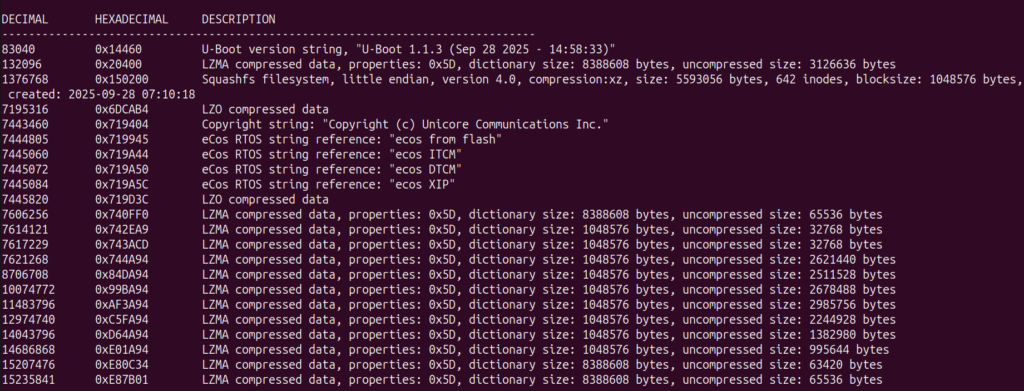
The image contains the following data :
- U-Boot : This is a commonly used bootloader for embedded devices
- Squashfs filesystem : The Linux filesystem used by the router, which is of great interest to us
- Unicore & eCos RTOS references : We are not interested in this, this most likely contains things such as firmware images for the 4G hardware on the board
The 12 LZMA archives at the end seem to all largely be related to the 4G modem. We can find string references to 4G hardware :

What we are actually interested in is the squashfs filesystem. It’s a very common filesystem for embedded Linux devices which is compressed and read-only. The first things we look at are /etc for configuration data and startup scripts, the binaries that can be found in different folders (/bin, /sbin, /usr/bin, /usr/sbin), as well as a /web folder present at the root of the filesystem.
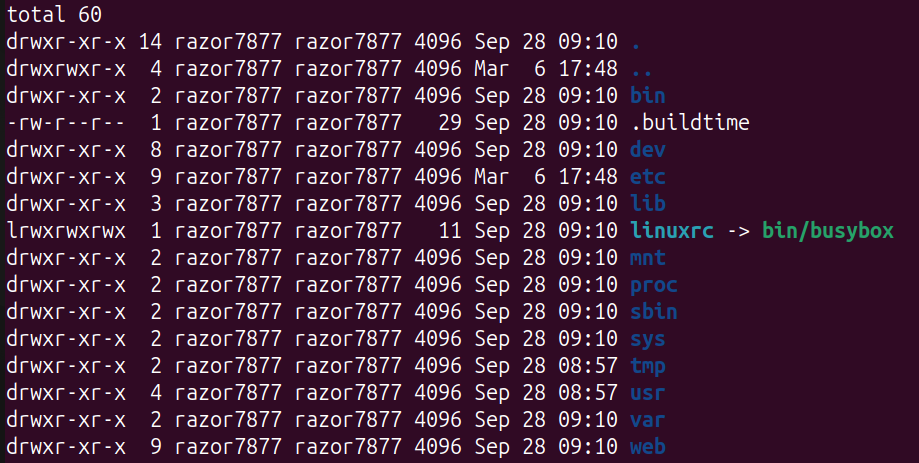
The /etc folder contains a lot of interesting information and configuration data for the router:
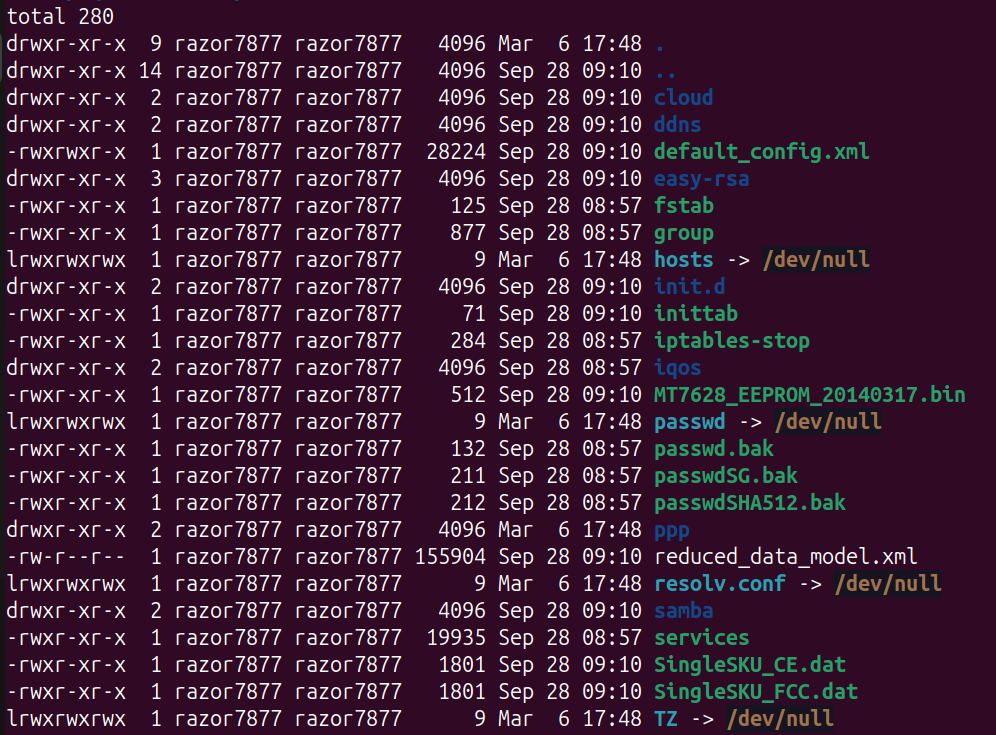
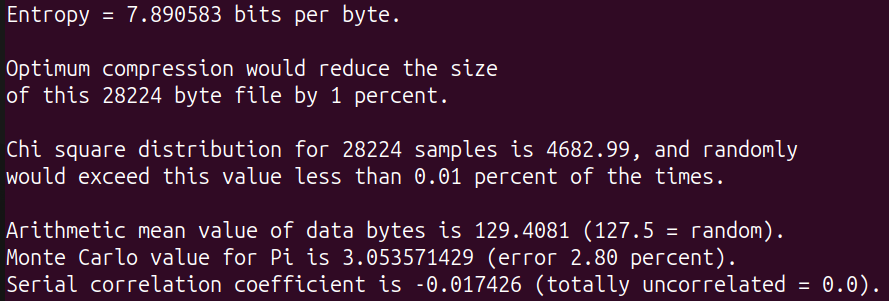
Of particular interest are a few things : the init.d folder containing the rcS startup script which will hint us at what exactly runs on the router, and the two XML files default_config.xml and reduced_data_model.xml. Unfortunately, the two latter are not readable and seem encrypted, as evidenced by the extremely high entropy:
At this point, I started poking around in the filesystem to get a good overview of how it all works. Interesting binaries are pretty much all located in the /usr/bin directory. Binaries for the following services are present: HTTP, CWMP/TR-069 daemon, DHCP, DNS proxy, IGMP, OpenVPN, UPnP as well as many other binaries with more or less obvious names.
There are also multiple loadable kernel modules, especially in /lib/modules, but most of them seemed pretty uninteresting and the attack surface is much smaller compared to what runs in user space.
The /web directory contains all the contents for the web client when accessing the web interface. It consists of roughly ~100 HTML files, as well as a fair amount of JavaScript and CSS content.
I quickly realized that the bulk of the filesystem is extremely similar to what can be found on the firmware for TP-Link routers. Indeed, one can find many references to TP-Link in the files, binaries and logs.
When searching for references to the encrypted XML files, I ended up reversing some of the code in libcmm.so and finding how exactly they are encrypted. When it loads the configuration, the library decrypts these files before parsing and using the XML contents. It turns out that this has already been done before on TP-Link routers (for example here). DES-ECB is used for the encryption, as can be seen in the decompilation:
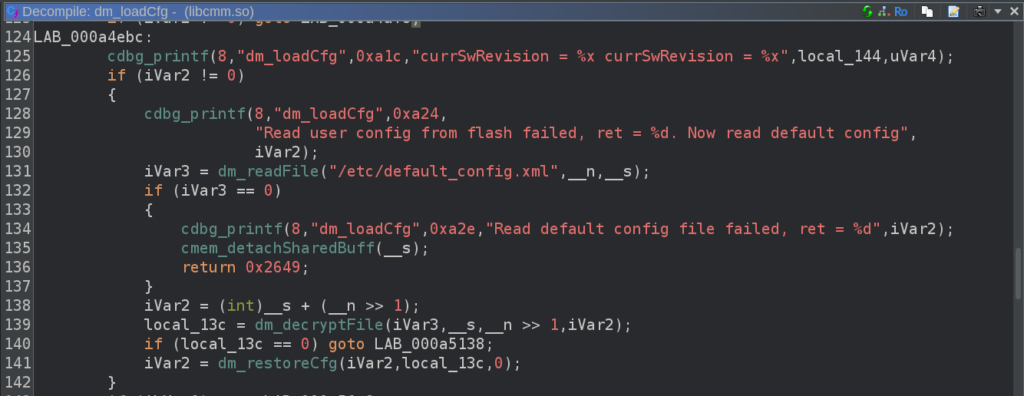
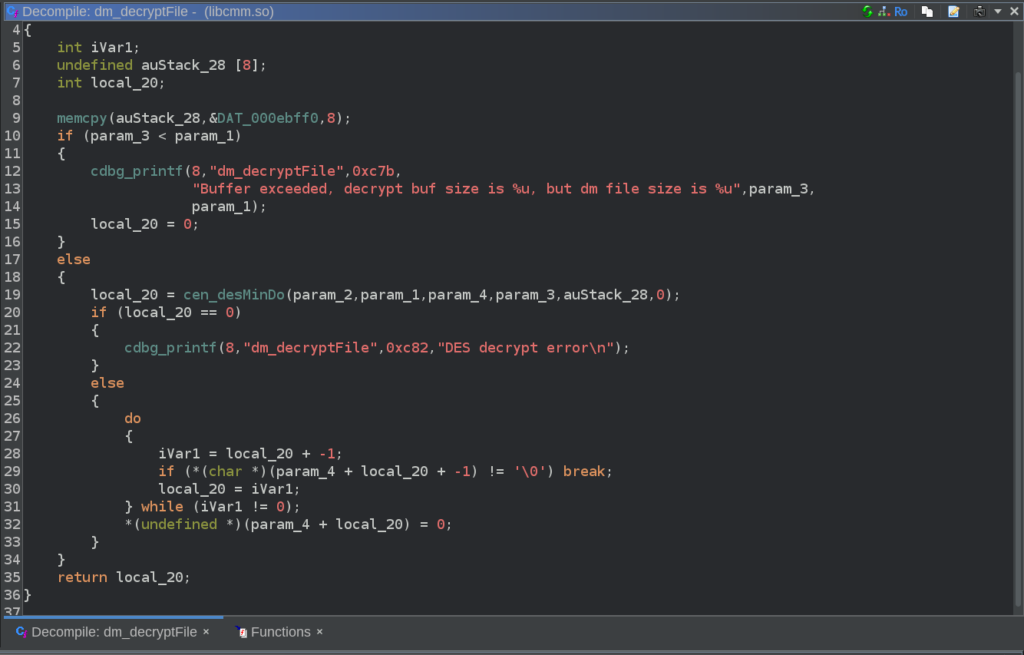
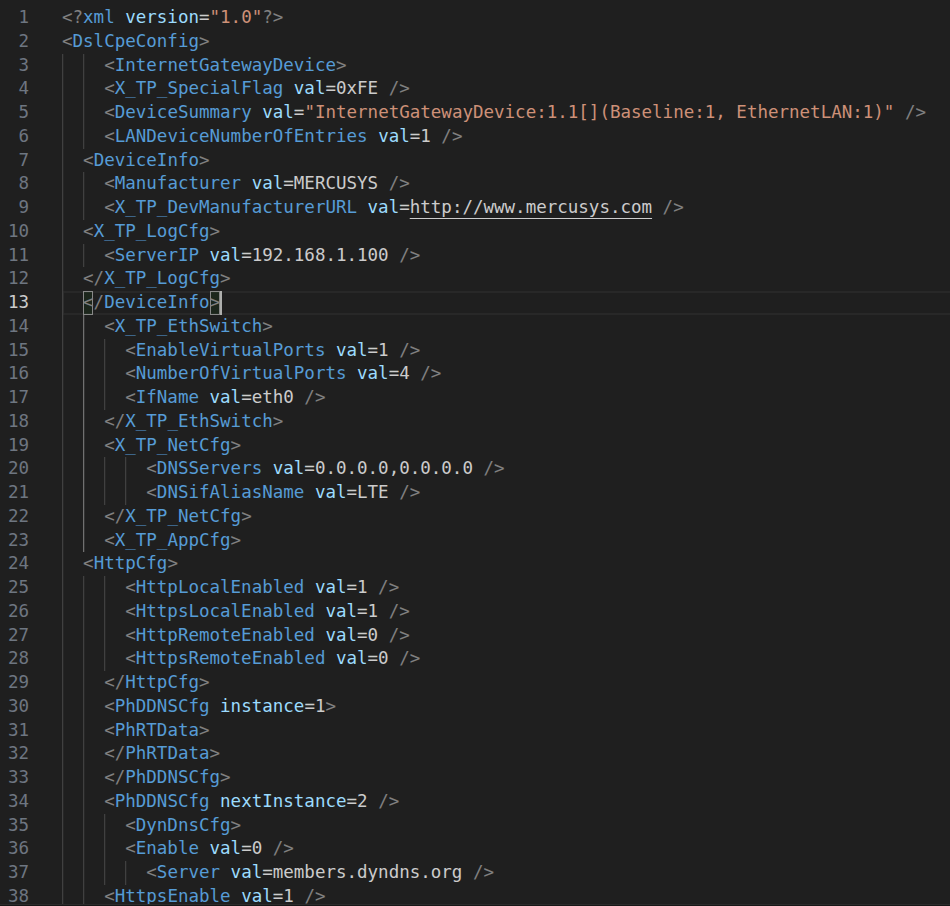
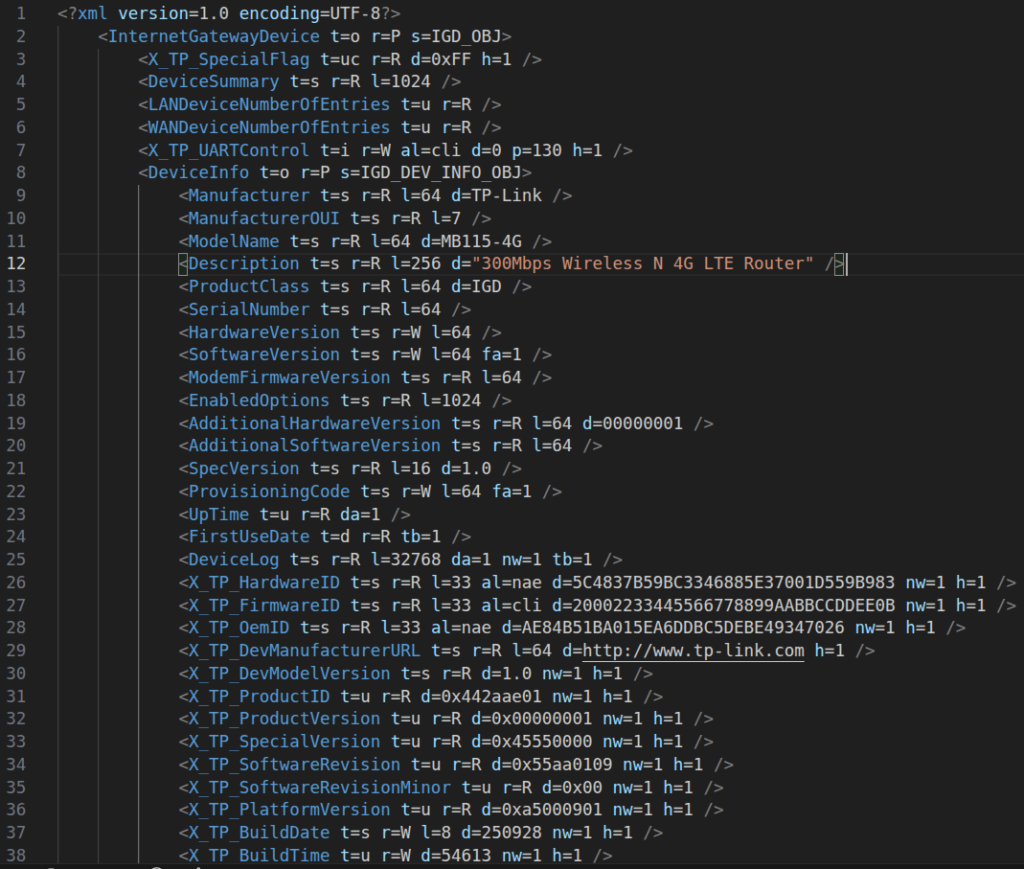
DAT_000ebff0 turned out to contain the 64-bit DES key, which can be directly used with openssl in ECB mode to decrypt the XML files. In default_config.xml, we find default configuration values for many features of the router. On the other side, reduced_data_model.xml contains the complete description of all the configuration objects manipulated by the router during use, which will be useful to understand their structure while searching for vulnerabilities later on.
While this gave me a good enough overview of the router internals, I needed to get the actual device before working on it further. Within the first few days, I had ordered it on Amazon and received it quickly afterwards.
Receiving and Inspecting the Hardware
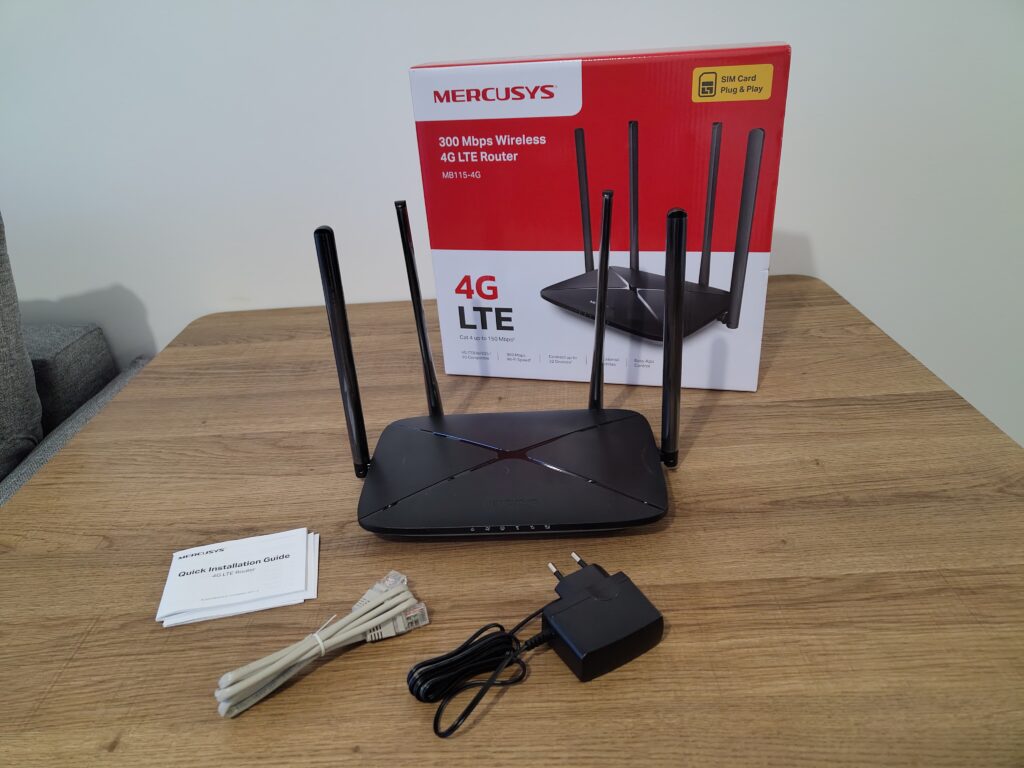
The router comes in an unremarkable generic box. Inside of it we find the router, along with the power supply, an RJ45 cable, and the user guide.
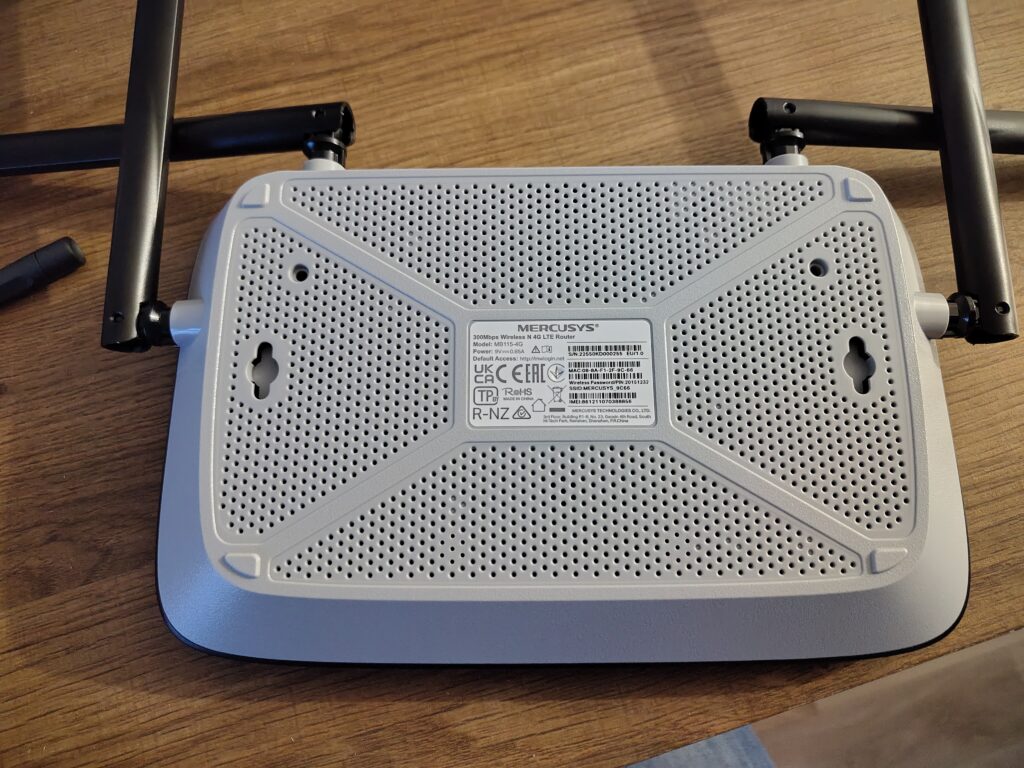
The router was then cracked open to reveal the internals. This needed the removal of two screws on the underside as well as prying open the plastic top which is clipped on very strongly at many points around the sides.
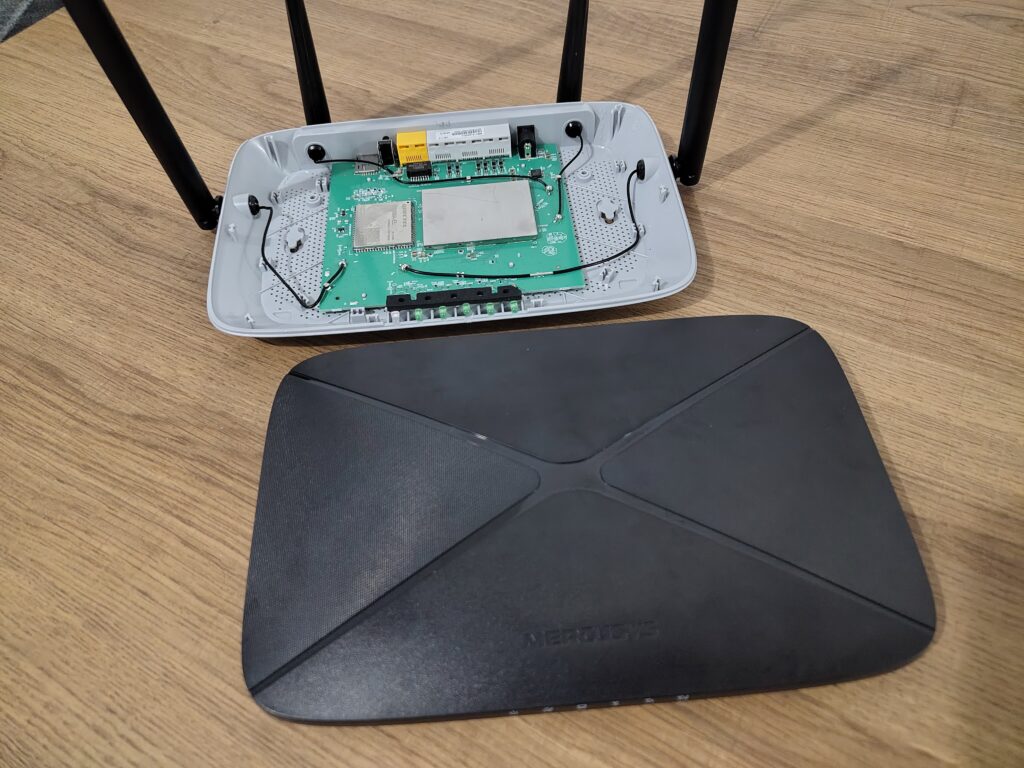
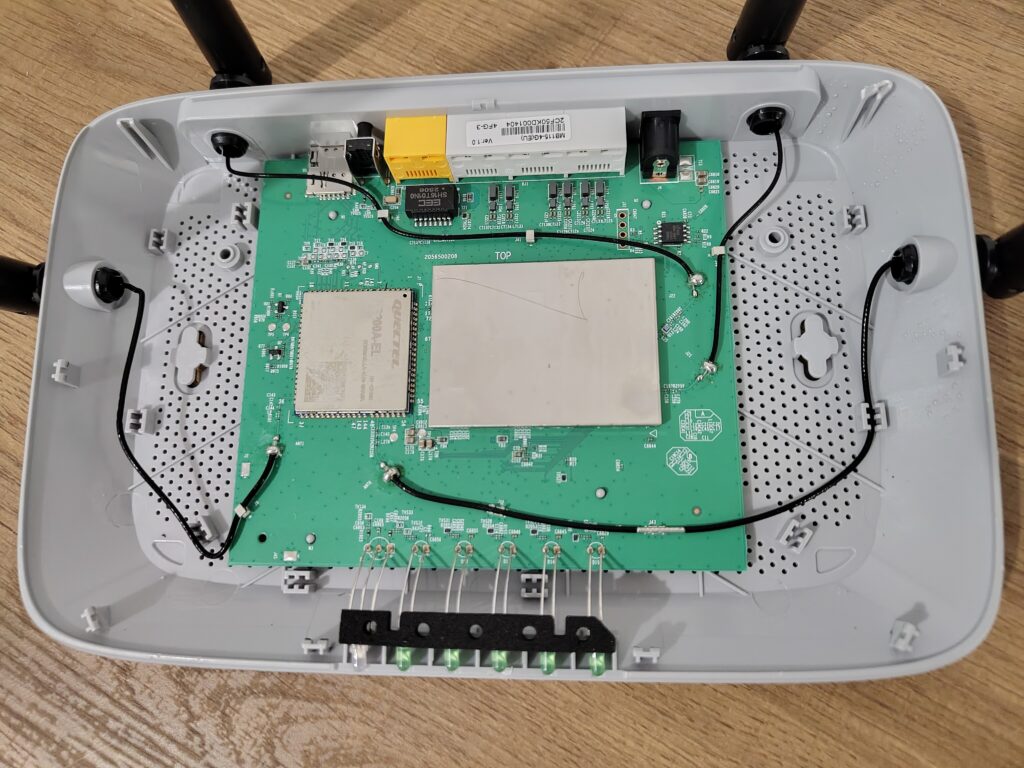
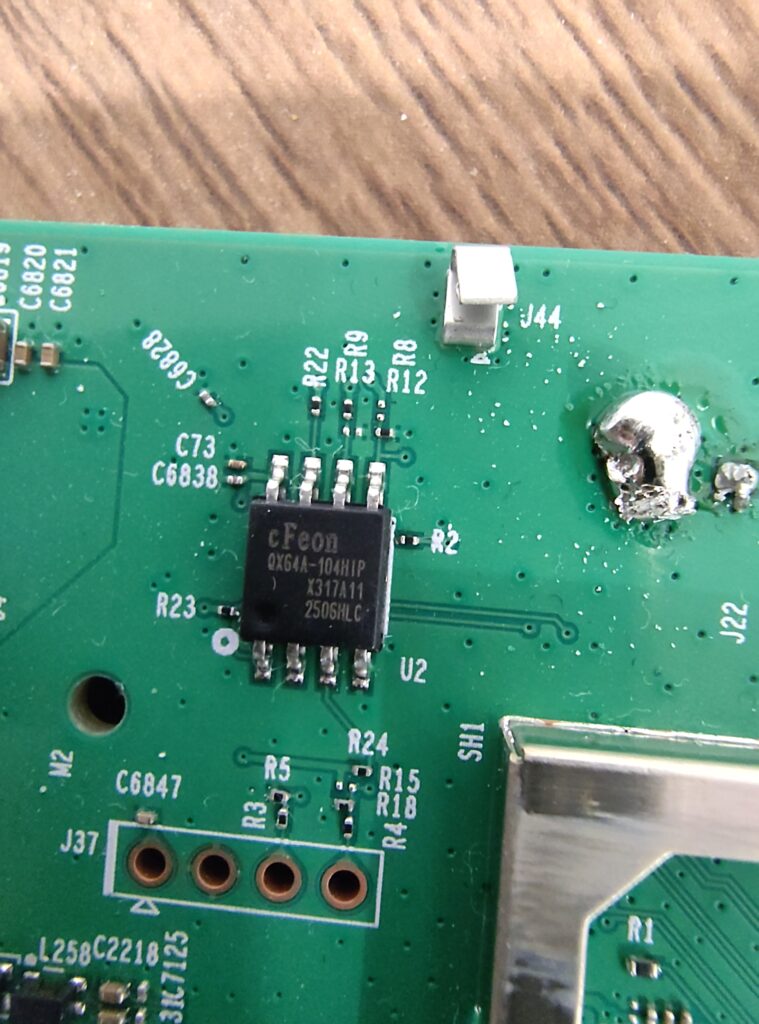
Inside of it, the modem is directly visible, while most of the components seem hidden underneath a metal RF shield. The router uses a Quectel EC200A-EL 4G modem. In the top right corner, we can see the small SPI flash chip.
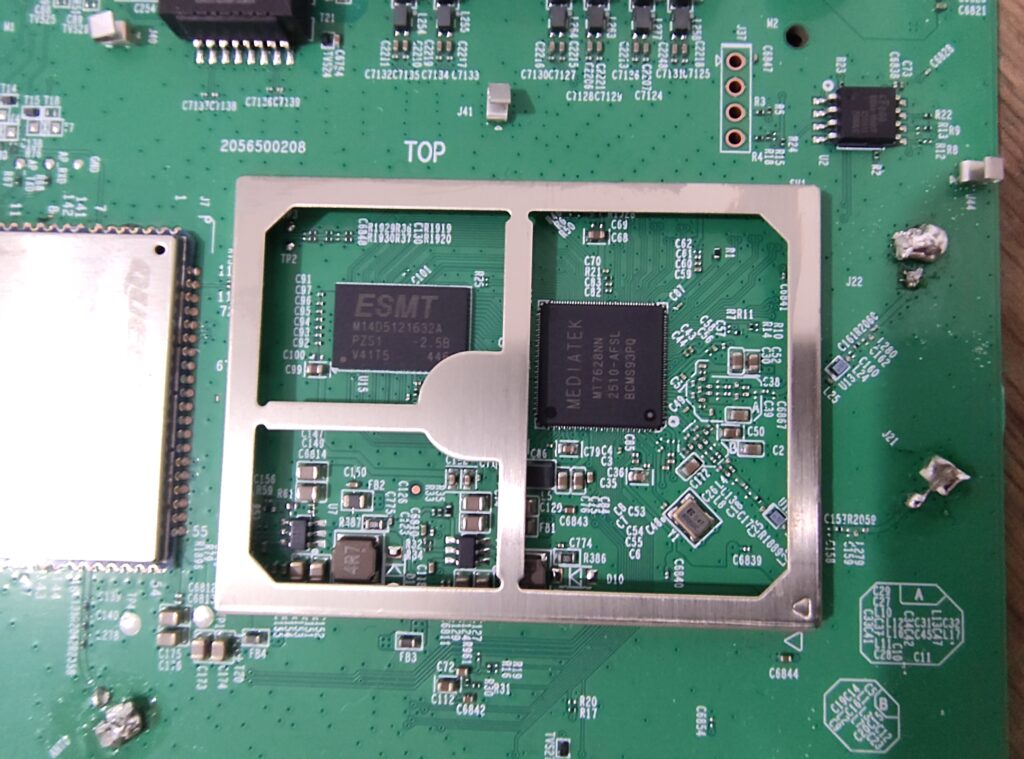
After popping open the lid from the metal shield, we find our remaining components: an MT7628, a low-end MIPS CPU from Mediatek, and a 512MB DDR2 module from ESMT.
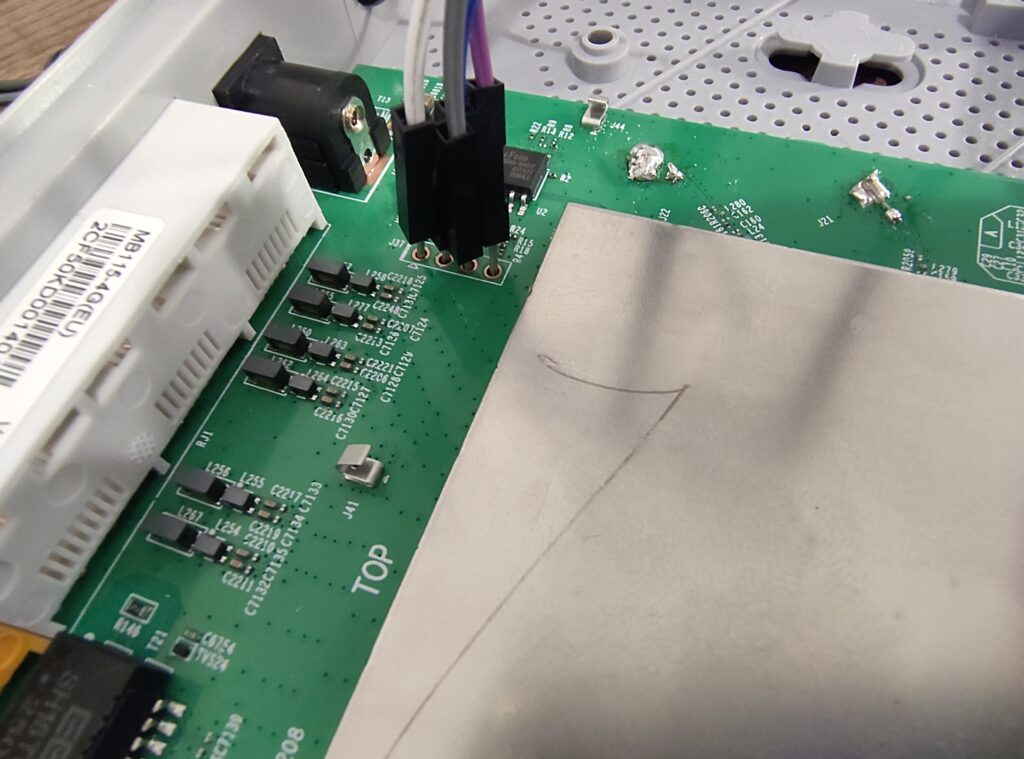
As you may have seen on the previous pictures, a UART header is also present next to the flash module. The pins are not labeled, therefore a multimeter is used to identify each pin. First, the multimeter is set in continuity mode, one lead is placed against any of the grounds (any metal chassis parts), and the other tested against each lead to find the GND. Then, the device is powered on. The 3V3 pin is at a constant 3.3 volts from the start, while the TX pin can be seen fluctuating for ~30 seconds before it stabilizes as the router is sending logs over this pin during boot. Finally, the RX pin is constantly at 0 volts. Then, a UART to USB module was used to connect using a laptop.
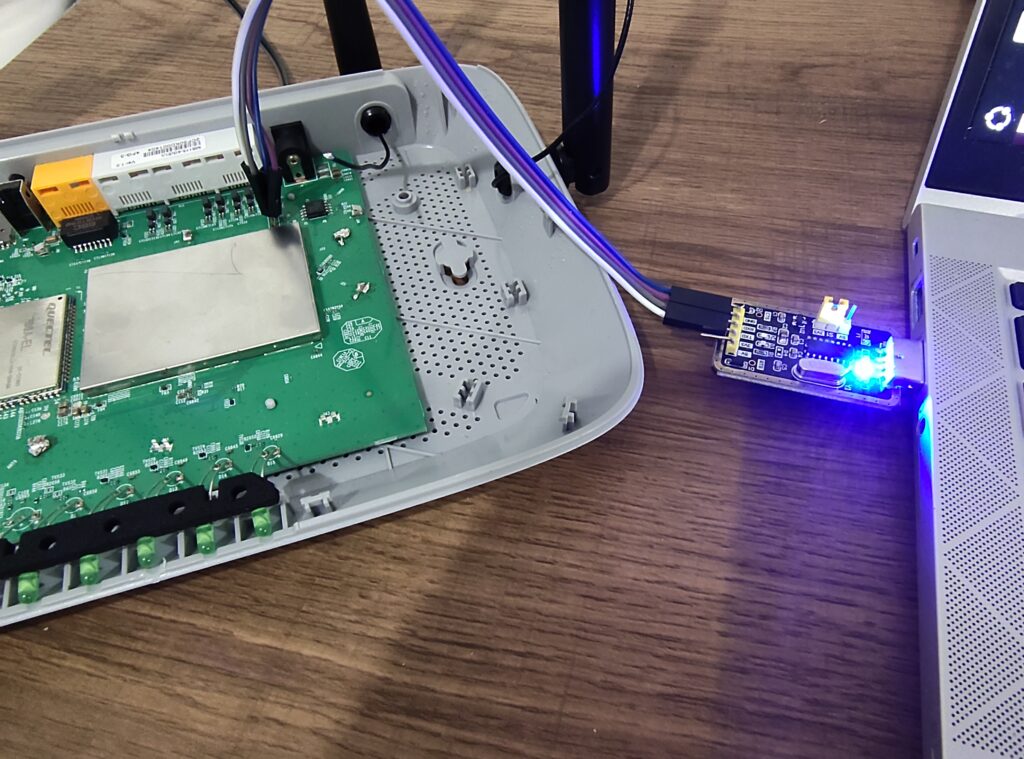
Then, we open a terminal using screen. Using the default baud rate of 9600, only gibberish gets printed to it, indicating that our baud rate is most likely wrong. Therefore 115200 was tried as it is a common value and this ended up being the correct rate. The router sends all log messages and exposes a shell on the UART interface. As with TP-Link routers, the same weak credentials are used for the admin user (https://therealunicornsecurity.github.io/TPLink/). This gives us full access over the router, and allows us to read the flash partitions, interact with the different services, and extract files over TFTP.
In the next part, we will be doing a more thorough analysis of this router’s behavior, inspecting the web interface and the communications, and how we can make use of the large attack surface to hopefully find some new vulnerabilities.